LEGAL INFORMATION
How to Use?
This page explains how to start a scan and read the result. MaxAuditor checks only page and server signals that are visible from the public internet.
01
Enter the domain
Type the public site address you want to check into the main field.
- Use a live address that is reachable from the public internet.
- Enter the real production address so HTTPS and redirects can be checked.
- Admin panels, login-only pages, and internal network addresses are not scanned.
HomeWebsite review
02
Complete verification
Cloudflare Turnstile is used to limit automated and repeated requests.
- The scan does not start until verification is complete.
- Excessive requests from the same source may be limited for a short time.
- If verification fails, reload the widget and try again.
TurnstileWebsite review
03
Start the scan
MaxAuditor reads the main HTML response, redirects, and selected public files.
- Security headers and HTTPS behavior are checked.
- Privacy, cookie, and measurement signals are searched for.
- Files such as robots.txt, sitemap.xml, the manifest, and security.txt are requested.
Privacy PolicyCookie PolicyTerms of Use
04
Work through the findings
Each finding lists the observed evidence, why it matters, and what should be changed.
- Review critical and high-priority findings first.
- Check the related file or server setting directly before making changes.
- The report can be exported as JSON or plain text.
ContactWebsite review
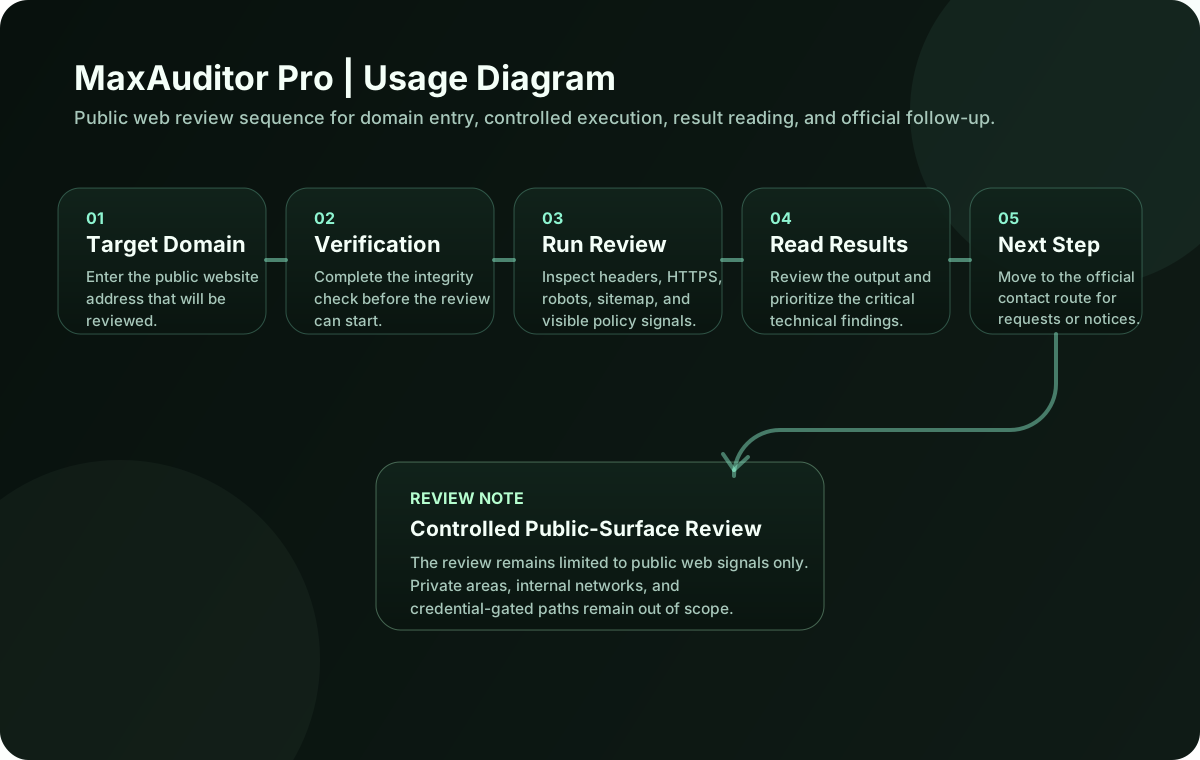
Usage Diagram
The diagram shows the steps from submitting the domain to receiving the report.